
Four Slick Tricks with a Ricoh MP W6700SP Plotter
Last week I was with one of my Johnny D (my Ricoh rep) at an Architects office in Red Bank, NJ. We were there to give some additional training for the Ricoh MP W6700SP Plotter.
Slick Trick #1
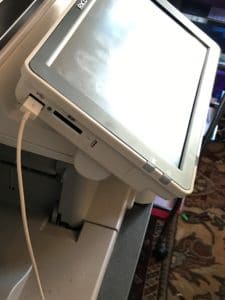 Just as we were going to get started I noticed that my iPhone was nearly drained of power. I rummaged though my man bag, found my iPhone cord but not the AC wall adapter. There I was with the iPhone in one and the cord in the other and no chance of charging. John then quipped, “plug your iPhone cord into the USB port on the display panel of the Ricoh MFP.” What? Wow, that’s right there’s a USB port on the Ricoh, wait….., that will work?
Sure enough, I plugged in and I had me a one big ass iPhone charge going on. Flat out, I was impressed!
Slick Trick #2
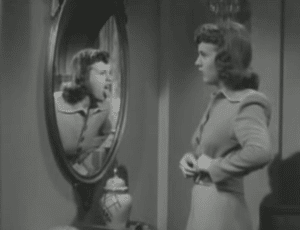 Mirror, Mirror on the wall, what is the best wide format copier of them all? You can make that decision when you read this next slick trick. Most sales people and end users (not mine) have no clue that with the touch of the “mirror” function you can reverse the orientation of an image on the copy, creating new originals requiring left hand/right hand similar views. I know this is available in the copy mode, but not sure if it’s available in the print mode also.
Slick Trick #3
 When was the last time you saw a blueprint? Yup, that would mean that the sheet of paper is blue and the lines are white? Very much different from the black-line (paper is white and lines are black) drawings we see today. Can you imagine what happens when you copy a blue print on today’s wide format copiers? The entire sheet of paper would be black and the lines would be white (void of black toner). In fact, the print would probably jam in the device because there is too much black toner on the page.
Our Ricoh MP W6700SP Plotter incorporates a little know feature called positive/negative. This means that you can take that blueprint and have it print with a white back ground and black lines. You then have a black-line drawing, without the tremendous waste of toner.
Slick Trick #4
TWAIN scanning, which some claim the acronym stands for Technology Without An Interesting Name. I’ve never been able to prove it or disprove it. However, our Ricoh MP W6700SP Plotter is the only wide format device in it’s class that supports TWAIN scanning. Why use do we use TWAIN scanning? Many business lines of software and CRM software offers support for TWAIN scanning. In the industry we also call that “pull” scanning, since you are pulling the scan from your device to the software. Alas, TWAIN scanning is not our Slick Trick #4. But this feature of the TWAIN software driver is; Diazo Mode enables users to scan legacy blueprints; scanned data is automatically converted from white lines on a blue background to black lines on a white background.
-=Good Selling=-
Connect with me on Linkedin to learn more about how we help businesses improve their client satisfaction